
See what is eating your disk.
OpenStorage scans a folder or a whole drive in seconds and draws every file as a map. A tiny, fast, free alternative to WinDirStat, written in Rust.
curl -fsSL https://openstorage.mdnlabs.dev/install.sh | bashmacOS and Linux. Windows has a one-liner too. MIT license. No account, no telemetry, nothing uploaded.
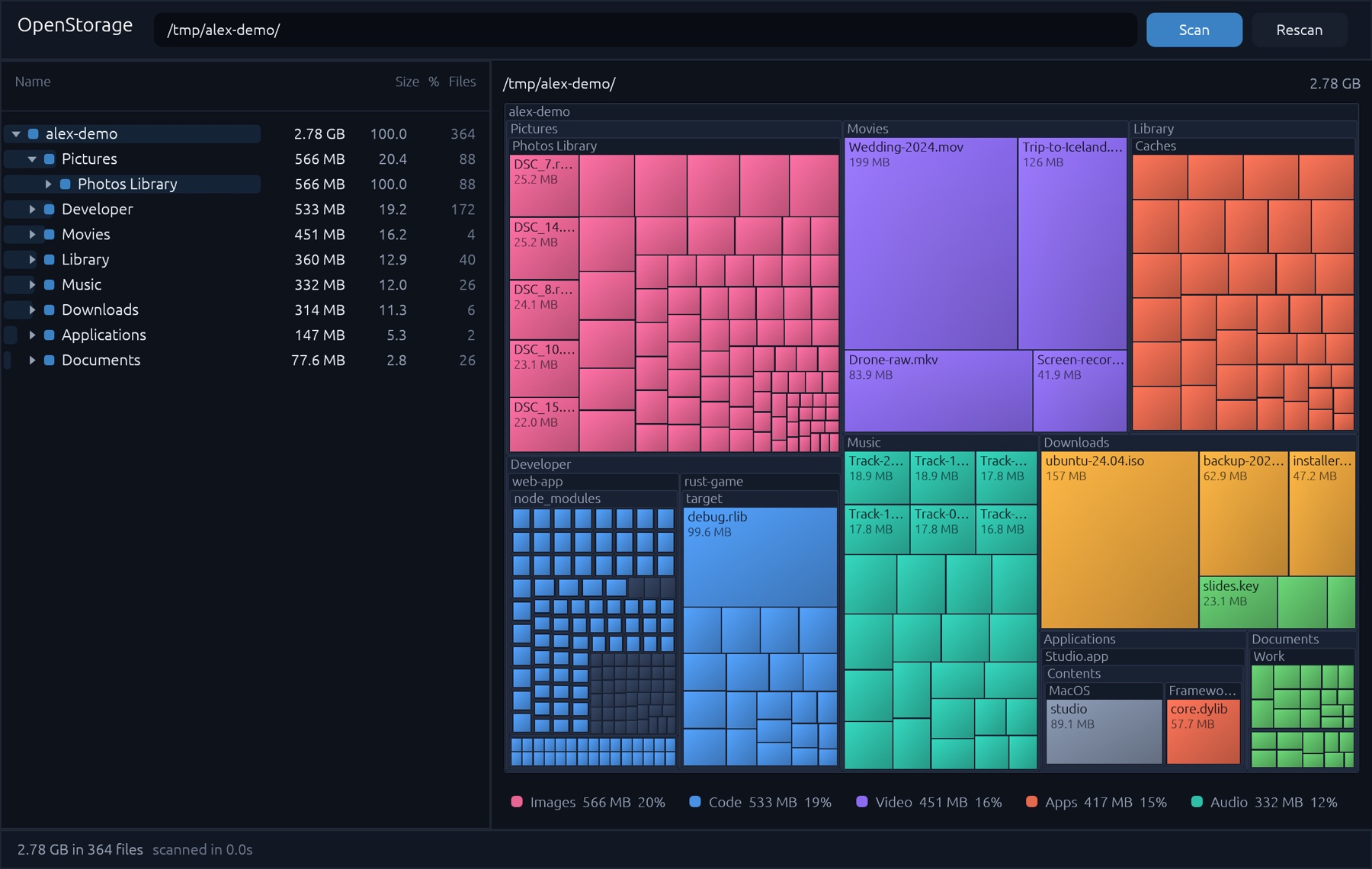
Try the map.
A made-up home folder, drawn the way the app draws yours. Hover for details, click a folder to dive in, click a legend entry to light up a file type.
Just 3 steps.
Pick
Choose a folder or a drive, or drop one on the window.
Scan
Every core walks the disk at once. Big drives take seconds.
Clean up
Spot the giants on the map, double-click to open them in your file manager.
A map of every byte
Each rectangle is a file; its area is its size. Folders nest inside folders, so a glance tells you where the space went. Color shows the kind of file: images, video, audio, archives, code, documents and apps.
Small on purpose
One native binary of a few megabytes. No web view, no runtime, no installer service. It is pure Rust with egui, so it starts instantly and idles at nothing.
What is inside
- Tree and map, linked
- Click a tile to jump to it in the tree, or a row to outline it on the map.
- Sorted by size
- Biggest first, with a percentage bar and file count on every folder.
- Zoom into folders
- Double-click a folder tile to make it the whole map. Backspace goes back up.
- Open in file manager
- Double-click any file to reveal it in Finder, Explorer or your Linux file manager.
- File type legend
- See totals per type and click one to highlight where those files live.
- Safe by design
- It only reads. It never deletes, moves or uploads anything, and skips symlinks and virtual file systems.
Find the big stuff. Get your space back.
Free and open source. Download it, scan a drive, and see where it all went.